


|
Name |
SHAREit |
|---|---|
|
Google Play Link |
GET IT ON
Google Play
|
|
Category |
Tools |
|
Developer |
Smart Media4U Technology Pte.Ltd. |
| Last version | 6.27.58_ww |
|
Updated |
|
|
Compatible with |
Android 4.1+ |
Introduction to SHAREit
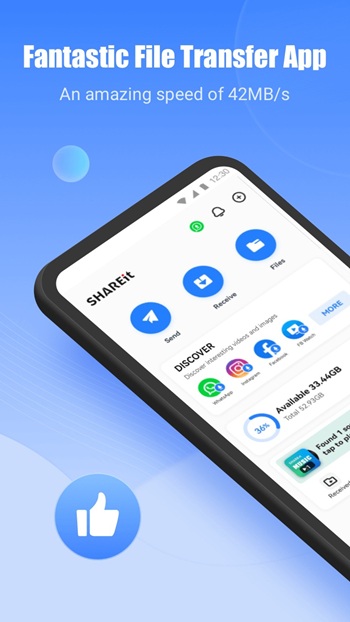
SHAREit is a cross-platform utility app designed to make file sharing way less painful and way more efficient. It flips the script on traditional transfer methods by letting users send photos, music, videos, documents, apps, and even entire folders without needing a cable, Bluetooth, or internet connection. The app runs on a peer-to-peer connection that keeps transfers super fast—like, blink-and-it’s-done fast. With its clean layout and no-fuss setup, SHAREit turns file transfers from a chore into a smooth process, even for people who aren't exactly tech-savvy.
The real kicker? SHAREit isn’t boxed into one device type. You can shoot files from an Android phone to an iPhone, pass documents to your Windows laptop, or beam songs to a friend’s tablet. It doesn’t discriminate. As long as SHAREit is installed on both ends and the devices are on the same network, it just works. This has made it an everyday app for students passing around school docs, creators sharing media files, or just friends swapping memes faster than you can say “AirDrop who?”
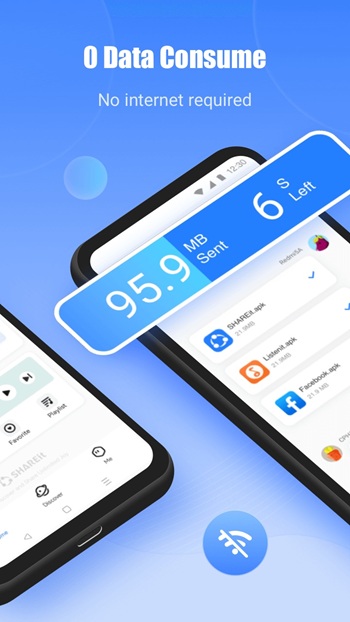
One of the most practical perks is that it doesn’t eat your data. Since it works offline, you’re not draining Wi-Fi or dipping into your mobile plan just to share a video. And if you’ve ever tried to send a large file over messaging apps or email, you’ll instantly get why SHAREit is a game changer. It handles big files like a pro, without breaking a sweat or compressing the quality.
Beyond the sharing tools, SHAREit also throws in a couple of smart extras. It comes with a built-in file cleaner and speed booster, helping you declutter storage and keep your phone running smoother. It’s not just about sending stuff—it actually helps your phone work better. So even if you're not using it to share something that day, it's still pulling its weight in the background.
Another underrated part? The way it handles weird file types. You know those oddball formats that most phones can’t preview properly? SHAREit doesn’t flinch. You can send over apps, compressed files, PDFs, and even contact lists—no format freakouts, no compatibility drama. It’s just one of those apps that feels like it “gets it,” especially in group scenarios where everyone’s got different tech setups.
For anyone constantly hopping between devices, SHAREit becomes the unofficial bridge. It strips away the usual friction that comes with file transfers and just does what you need, fast. You’re not dealing with logins, passwords, or complex setups—just select, send, and boom, done. It’s one of those apps that fills a gap you didn’t realize was so annoying until it fixed it.
In a world stuffed with cloud apps, SHAREit feels refreshing because it gives you control. You're not uploading to a server, you’re not syncing across accounts—you’re just moving files. And sometimes, that’s exactly what you need: fast, offline, and fuss-free file sharing with no hoops to jump through.
FAQs SHAREit
What is SHAREit?
+
SHAREit is a fast, cross-platform app that lets you send files like videos, photos, apps, and documents wirelessly without needing internet.
Is SHAREit safe to use for private files?
+
Yes, SHAREit uses peer-to-peer transfer, so files go directly between devices without uploading to the cloud, keeping things more secure.
Do both devices need to have SHAREit installed?
+
Absolutely, both sender and receiver need the app installed for the file transfer to work properly.
Can SHAREit transfer files between Android and iPhone?
+
Yep, SHAREit works across platforms—including Android to iOS, and even PC—making it super flexible for all kinds of devices.
Does SHAREit work without internet or Bluetooth?
+
Yes! SHAREit uses local Wi-Fi Direct, which doesn’t need mobile data, a Bluetooth connection, or even an internet signal.
Discover More Interesting Apps
-
 Mod
Mod
Nzb360
v25.2.1
14.36 Mb
Updated -
PDF Editor
v6.4.3
79.64 Mb
Updated -
Mod
InSave
v2.0.6
32.25 Mb
Updated -
Mod
Hotspot Shield
v12.1.0
72.00 Mb
Updated -
HaloVPN
v20.1.0
102.55 Mb
Updated -
GlobeOne
v1.27.0
183.00 Mb
Updated -
TikFinity
v2.7.3
88.24 Mb
Updated -
Mod
Material Capsule
v17.2
22.97 Mb
Updated -
Privacy Display
v1.9.2
10.17 Mb
Updated -
Mod
Vip Proxy Server
v2.12.41
35 MB
Updated










Share Your Thoughts